
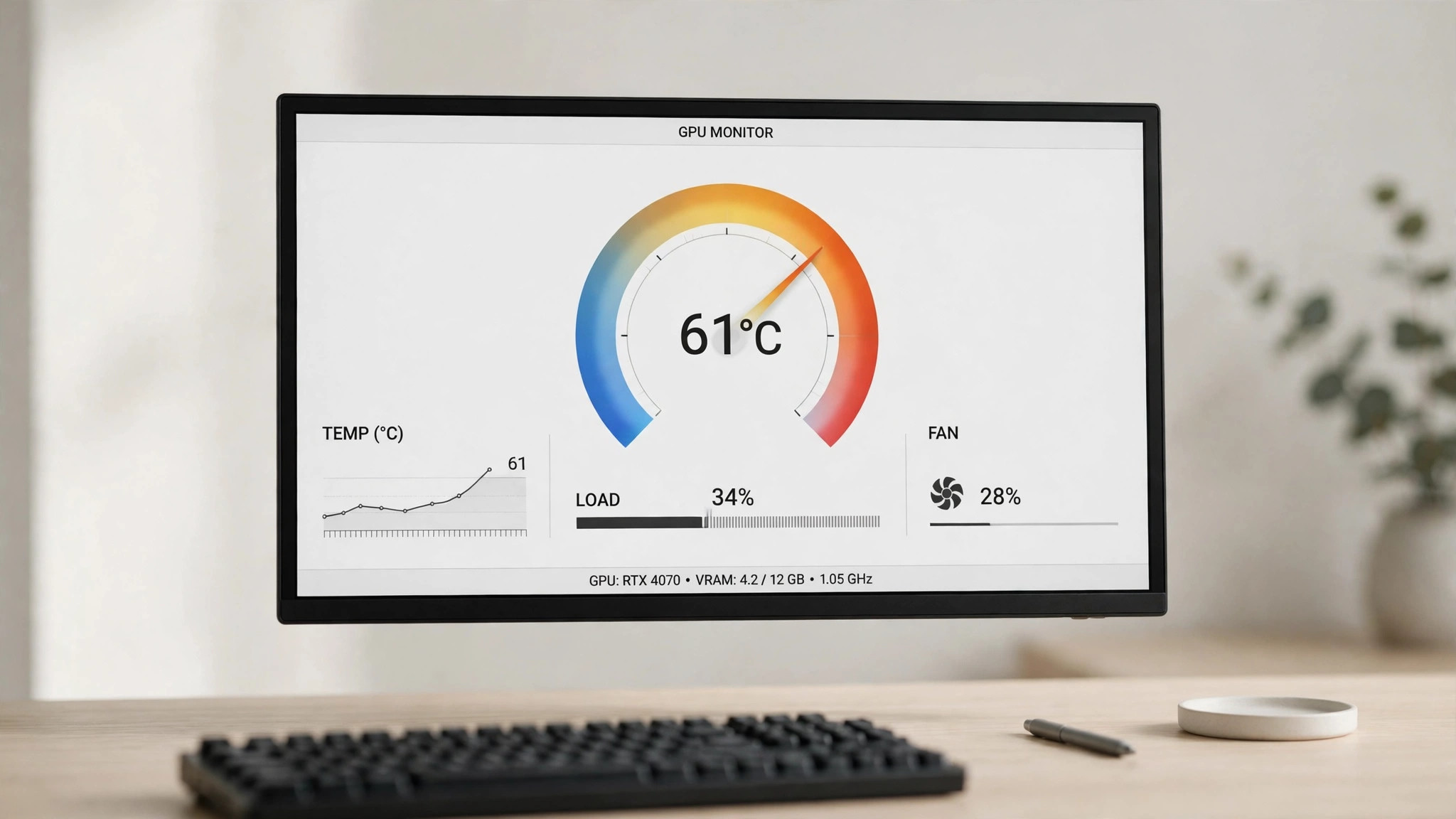
You glance at your monitoring overlay mid-game and see a number that makes you pause: 78 degrees. Is that fine, or is your graphics card slowly cooking itself? It is a question almost every PC gamer asks at some point, and the answer is less scary than you might think. If you are wondering what temperature should my GPU be while gaming, the short answer is that most modern graphics cards are designed to run at 65 to 85 degrees Celsius under load, and anything in that range is completely normal.
In this guide, you will learn the safe temperature ranges for idle and gaming, the difference between edge and hot spot temperatures, what counts as too hot, how to check your temperatures, and what to do if your card is running hotter than it should. By the end, you will know exactly when to relax and when to act.
What Temperature Should Your GPU Be While Gaming?
For most modern graphics cards, the safe gaming temperature range is 65 to 85 degrees Celsius. A card running at 70 degrees in a demanding game is in perfect health. A card at 80 degrees is also fine, and a card at 85 degrees is at the warm end of normal but still safe. Cards only start to protect themselves at around 90 degrees or higher, where they slow down to reduce heat. Here is a quick reference for the temperatures you will see.
| Situation | Normal Range | What It Means |
|---|---|---|
| Idle on the desktop | 30 to 50 degrees Celsius | Normal. Many cards stop their fans completely at idle. |
| Gaming, light games | 55 to 70 degrees Celsius | Normal and comfortable. |
| Gaming, demanding games | 65 to 85 degrees Celsius | Normal for modern cards under full load. |
| Hot spot temperature | Up to 95 to 105 degrees Celsius | Normal for the hottest point on the chip. AMD cards allow up to 110 degrees. |
| Above 90 degrees edge temperature | Too hot | The card will throttle. Check cooling and airflow. |
These numbers assume a room temperature of around 20 to 25 degrees. If your room is hot, your GPU will be too, and that is normal. A card that runs at 75 degrees in a cool room might run at 82 degrees in a warm one, and both are fine. The number that matters is the trend: a card that used to run at 70 degrees and now runs at 88 degrees has a problem, usually dust or a failing fan.
GPU Temperature Ranges Explained
Not all temperature numbers mean the same thing, and understanding the difference will save you a lot of worry. Your monitoring software can show several different temperatures, and they are measured in different places on the card.

Idle Temperatures
When your PC is on the desktop with no game running, your GPU should sit between 30 and 50 degrees Celsius. Many modern cards stop their fans completely below about 50 degrees, which is called zero RPM mode, and the card cools passively. If your card idles at 55 to 60 degrees, that is usually still fine, especially in a warm room or a case with poor airflow, but it is worth checking that the fans work when the card gets hot. An idle temperature above 65 degrees is unusual and suggests dust, a stuck fan, or a background program using the GPU.
Gaming Temperatures
While gaming, the temperature depends on the game, the resolution, and the card. Light games such as esports titles usually keep the card at 55 to 70 degrees. Demanding games at 1440p or 4K will push it to 70 to 85 degrees, which is exactly what the card is designed for. The card’s fans will speed up as the temperature rises, and that is normal. What matters is whether the temperature is stable. A card that climbs steadily to 85 degrees and stays there is fine. A card that keeps climbing past 90 degrees has a cooling problem.
Hot Spot vs Edge Temperature
Monitoring tools show two main temperatures: the edge temperature, which is the average temperature of the GPU chip, and the hot spot temperature, which is the hottest single point on the chip. The hot spot is always higher, usually by 10 to 15 degrees, and it can reach 95 to 105 degrees during gaming without any problem. AMD cards are designed to allow a hot spot of up to 110 degrees. Do not panic if you see a hot spot number in the 90s: that is normal, and it is not the number to worry about. The edge temperature is the one to watch, and it should stay below 90 degrees.
What Temperature Is Too Hot for a GPU?
A GPU is too hot when its edge temperature regularly goes above 90 degrees Celsius, or when it hits its thermal limit and starts throttling. Throttling means the card deliberately slows itself down to reduce heat, and you will notice it as a sudden drop in frame rate during a game. Most NVIDIA cards start throttling at around 83 degrees, while AMD cards usually allow higher temperatures before they slow down. Running a card at 90 degrees or more for long periods will not immediately destroy it, because modern cards protect themselves by shutting down before they are damaged, but it will shorten the card’s life over time and it will cost you performance every single day. If your card is regularly above 90 degrees, treat it as a problem to fix, not a number to live with. The causes and fixes are covered below.
How to Check Your GPU Temperature While Gaming
Checking your GPU temperature is easy, and you have several options. The most detailed is MSI Afterburner, which is free and shows the temperature, fan speed, clock speed, and frame rate in a small overlay while you play. HWMonitor from CPUID is another free tool that shows temperatures for every component in your PC, including the GPU edge and hot spot. If you prefer not to install anything, press Ctrl+Shift+Esc to open Task Manager, go to the Performance tab, and click on your GPU: the temperature is shown there, although without the detail of a dedicated tool. NVIDIA and AMD also have built-in overlays that show temperature while you play. Our dedicated guide on how to check GPU temperature while gaming walks through each of these methods step by step. Whichever tool you use, check the temperature during a demanding game, not on the desktop, and watch the maximum temperature, not just the current one.
Why Is My GPU So Hot?
If your card is running hotter than the ranges above, one of these causes is usually to blame. Dust is the most common. Over months, dust builds up on the heatsink fins and fan blades, blocking airflow and insulating the card. A card that was quiet at 70 degrees can climb to 85 degrees simply because it has not been cleaned in a year. Poor case airflow is the next most common cause: a case with no intake fans, or with fans blowing in the wrong direction, traps hot air inside, and the graphics card ends up breathing its own exhaust. A hot room makes everything worse, and so does a card that is overclocked or running with a very quiet fan curve that prioritises silence over cooling. Finally, dried-out thermal paste can cause high temperatures on older cards. The paste between the GPU chip and the heatsink dries out over years, and when it does, heat cannot move from the chip to the cooler efficiently. If your card is more than four or five years old and suddenly runs much hotter than it used to, old thermal paste is a likely cause.
How to Lower Your GPU Temperature
Most high GPU temperatures can be fixed without spending anything. Work through these fixes in order, checking the temperature after each one.
- Clean the card and the case. Shut the PC down, open the side panel, and blow the dust out of the graphics card heatsink and the case fans with compressed air. Hold the fans still while you blow them, so they do not spin too fast. This alone can drop temperatures by 5 to 10 degrees.
- Improve case airflow. Make sure you have at least one intake fan at the front and one exhaust fan at the back or top, and that they are blowing in the right direction. Keep cables tidy so they do not block airflow, and do not push the PC against a wall.
- Set a more aggressive fan curve. Use MSI Afterburner to make the fans spin faster at lower temperatures. A card that is quiet at 85 degrees can often run at 75 degrees with a louder fan curve, and the extra noise is a fair trade for the lower temperature and higher performance.
- Undervolt the card. Undervolting reduces the voltage the card uses, which lowers heat without reducing performance much. It takes some trial and error, but a good undervolt can drop temperatures by 5 to 8 degrees. Our guide on how to fix low FPS with a good graphics card explains how heat and throttling cost you frames, which is why cooling matters for performance as well as for the card’s health.
- Replace old thermal paste. On older cards, removing the cooler, cleaning off the old paste, and applying fresh thermal paste can drop temperatures significantly. This is more advanced work, so only do it if you are comfortable taking the card apart, and check whether it affects your warranty first.
- Lower the most demanding settings. If nothing else works, reducing the resolution or turning off ray tracing will lower the load on the card and bring temperatures down immediately.
GPU Temperature by Brand: NVIDIA vs AMD vs Intel
Different brands have different normal temperatures, and knowing yours will stop you worrying about numbers that are actually fine. NVIDIA GeForce cards typically run at 65 to 83 degrees while gaming, and they begin to throttle at around 83 degrees, which is a deliberately conservative limit. AMD Radeon cards typically run a little hotter, at 65 to 85 degrees, with a hot spot that can reach 100 to 110 degrees before the card slows down. AMD designed their cards to run at these temperatures, so a hot spot of 100 degrees on a Radeon card is not a fault. Intel Arc cards sit in a similar range to NVIDIA, usually 65 to 80 degrees while gaming. The brand matters less than the trend: whatever card you have, compare its temperature today with its temperature when it was new. A card that has climbed 15 degrees over a year needs cleaning, whatever the brand.
Conclusion
Most graphics cards are designed to run at 65 to 85 degrees Celsius while gaming, and anything in that range is normal and safe. The hot spot temperature will always be higher, and up to 105 degrees is fine for that number. What matters is the edge temperature staying below 90 degrees, and the card not throttling. If your card is running hotter than it should, the fix is usually simple: clean out the dust, improve your case airflow, and set a more aggressive fan curve. Check your temperatures regularly, and you will catch problems early, long before they cost you performance or shorten your card’s life.
FAQs
What temperature should my GPU be while gaming?
Most modern graphics cards should run at 65 to 85 degrees Celsius while gaming. Light games usually keep the card at 55 to 70 degrees, while demanding games at 1440p or 4K push it to 70 to 85 degrees. Anything in this range is normal and safe. The hot spot temperature can be 10 to 15 degrees higher and still be fine.
Is 80 degrees Celsius hot for a GPU?
No. 80 degrees is a normal gaming temperature for most modern graphics cards. Cards are designed to run at up to 85 degrees under full load, and they only start to slow down at around 90 degrees. If your card sits at 80 degrees in a demanding game and the frame rate is good, there is nothing to worry about.
Is 90 degrees too hot for a GPU?
Yes, if it is the edge temperature. A GPU that regularly runs above 90 degrees will throttle, which costs you performance, and running at that temperature for long periods can shorten the card’s life. Clean the dust out of the card, improve case airflow, and set a more aggressive fan curve. A hot spot temperature of 90 degrees is normal, but an edge temperature of 90 degrees is not.
What is a good idle GPU temperature?
A good idle GPU temperature is 30 to 50 degrees Celsius. Many modern cards stop their fans completely at idle, so 40 to 50 degrees on the desktop is perfectly normal. An idle temperature above 65 degrees is unusual and suggests dust, a stuck fan, or a background program using the GPU.
Does a hot GPU cause low FPS?
Yes. When a GPU gets too hot, it slows itself down to reduce heat, which is called thermal throttling. A card that throttles will deliver fewer frames per second, and the frame rate can drop suddenly during a game. Cleaning the card, improving airflow, and setting a better fan curve will restore the lost performance. Our guide on how to fix low FPS with a good graphics card explains how heat and throttling fit into the bigger picture of performance problems.
Henry is the founder and writer behind GPUGuides, based in Los Angeles, California, USA. He writes practical, step-by-step GPU guides in plain English to help gamers and PC owners get the best out of their graphics cards.


One thought on “What Temperature Should My GPU Be While Gaming”